

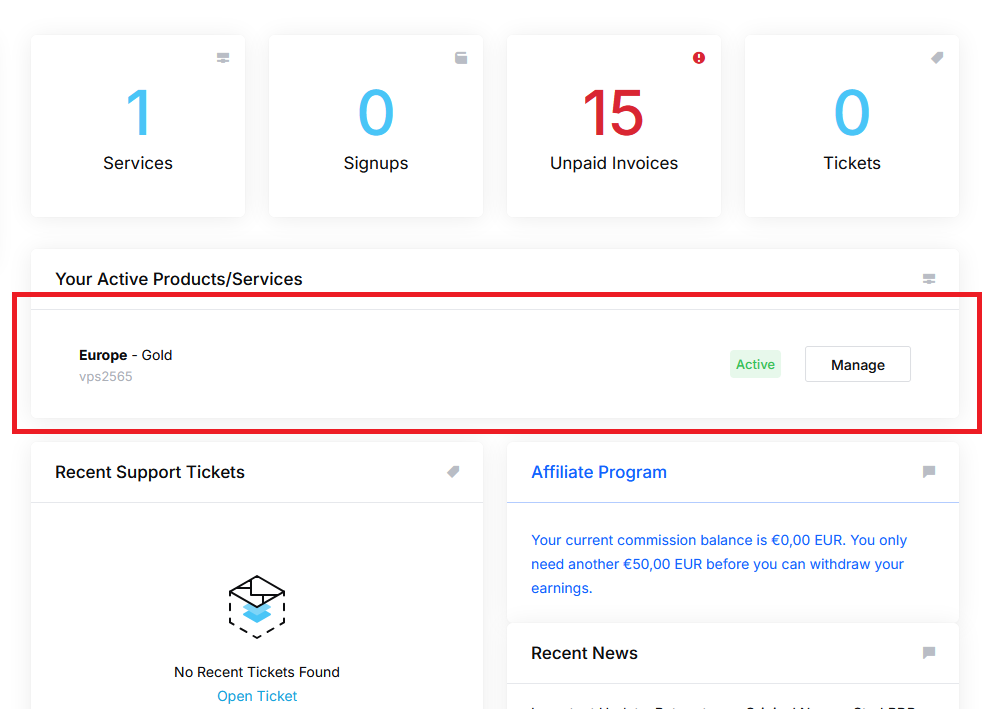
To reinstall your server with a different or the same Operating System, you need to login to your clientarea, then click on the service you want to reinstall:
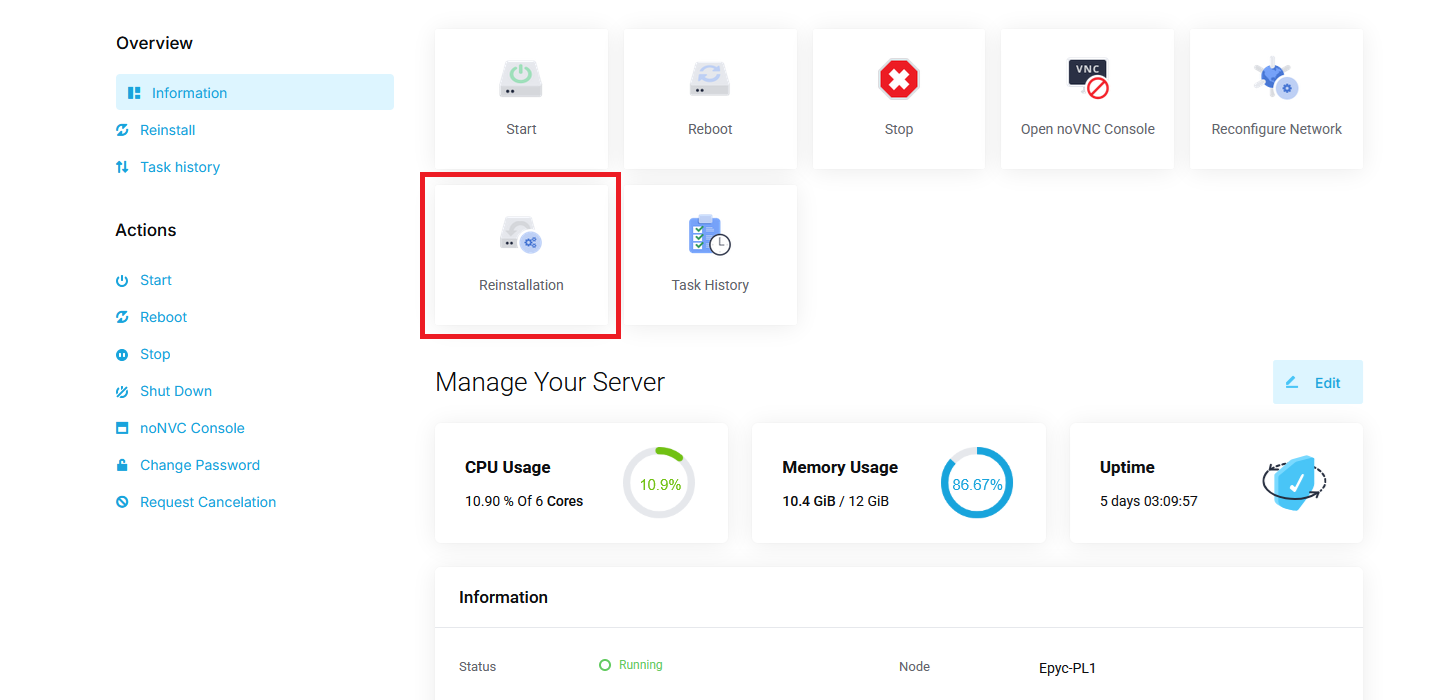
Now click on "Reinstallation":
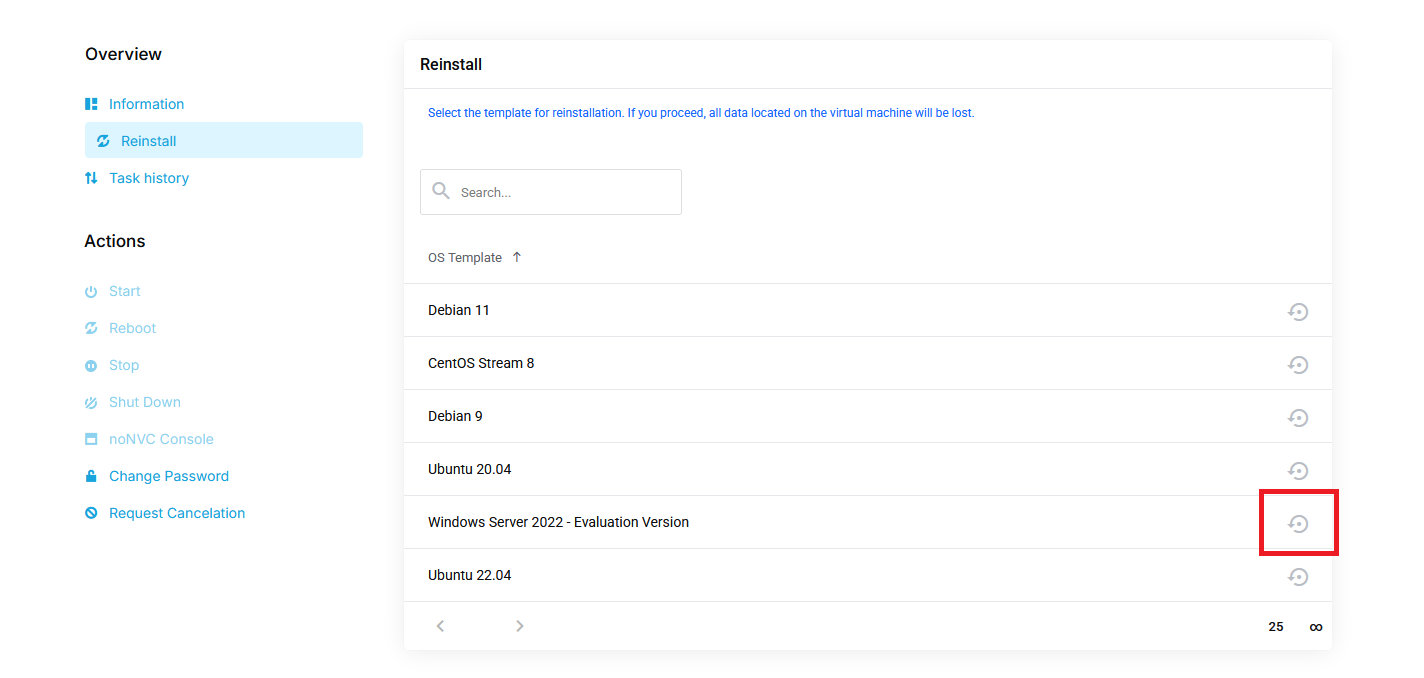
Now you want to select any Operating System to install and reinstall by clicking on the icon on the right side:
Proceed to enter a new password and click on "Confirm". Your server will now be reinstalled with the selected OS. This can take up to 5 minutes.
You will receive the access details via mail after the installation has been completed.